
How to run Anthropic’s deep-research skill in Claude Code or Cowork, what happens behind the scenes, and how to get a better report out of it. The screenshots come from Michelle’s demo on Tesla’s new Roadster, recorded 23 October 2026.
Try it now
Open Claude Code or Cowork, type /deep-research, add your research topic and send. See the three steps.
Quotes marked “In the skill’s words” are copied from the skill’s own files, which you can read yourself under Customize → Skills → deep-research → Contents. Checked 23 October 2026. Skills get updated, so that page is the place to recheck.
What the deep-research skill does
A skill is a reusable prompt that tells Claude how to do one specific task. This one is made by Anthropic: it turns a research topic into a report built from multiple web sources. Its instructions ask the researchers to link their factual claims to sources.
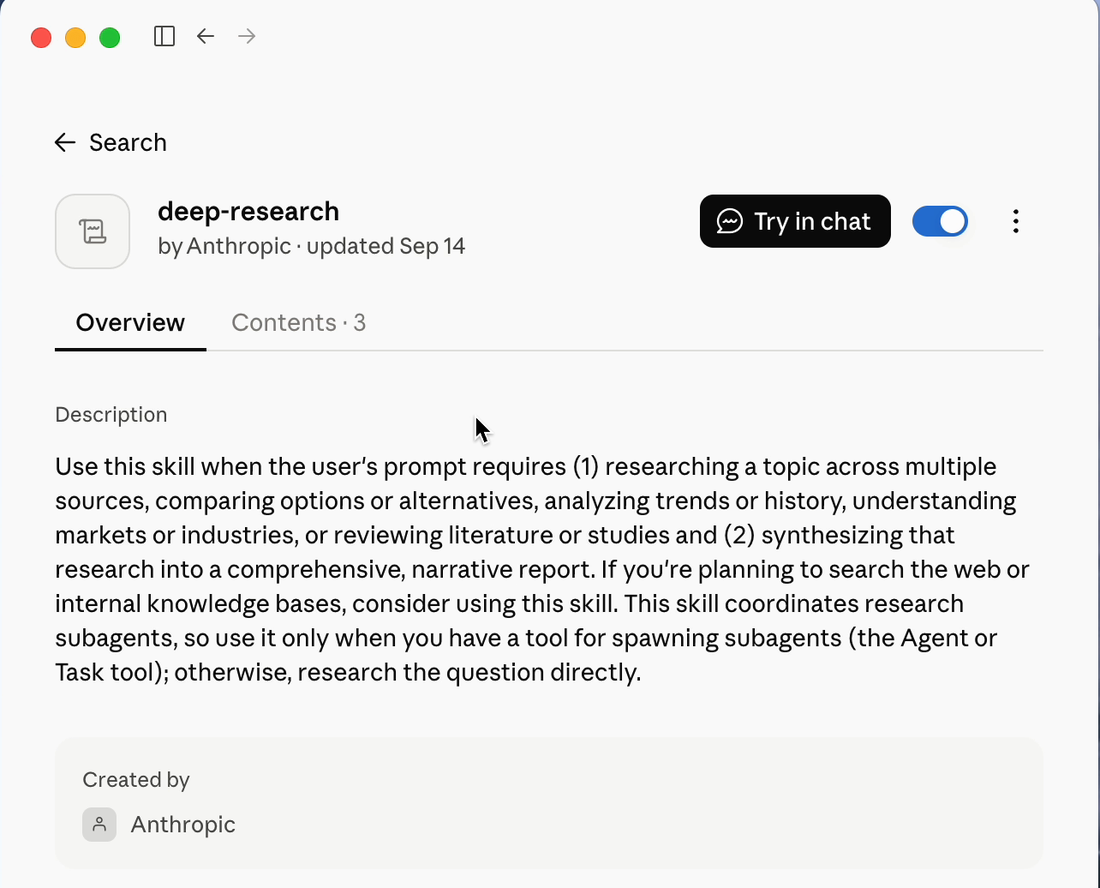
Claude decides when to use it from its description:
In the skill’s words
“Use this skill when the user's prompt requires (1) researching a topic across multiple sources, comparing options or alternatives, analyzing trends or history, understanding markets or industries, or reviewing literature or studies and (2) synthesizing that research into a comprehensive, narrative report.”
New to skills? The Skills guide shows how to build your own.
Official reference: Use skills in Claude
Official reference: Skills in Claude Code
Run it in three steps
- Open Claude Code or Cowork
Both are in the Claude desktop app. The skill needs a way to start a team of helper Claudes, and both of them have one.
- Type /deep-research and pick the skill
Choose the entry whose description starts “Use this skill when the user’s prompt requires…”. If it is missing, check that deep-research is enabled under Customize → Skills. In Claude Code you may see a second /deep-research that starts “Fan out web searches…”. That one is a different tool, explained below.
- Add your research topic and send
Name the topic you want to explore. You can add a specific question or angle, as in the example below. Then let it work.
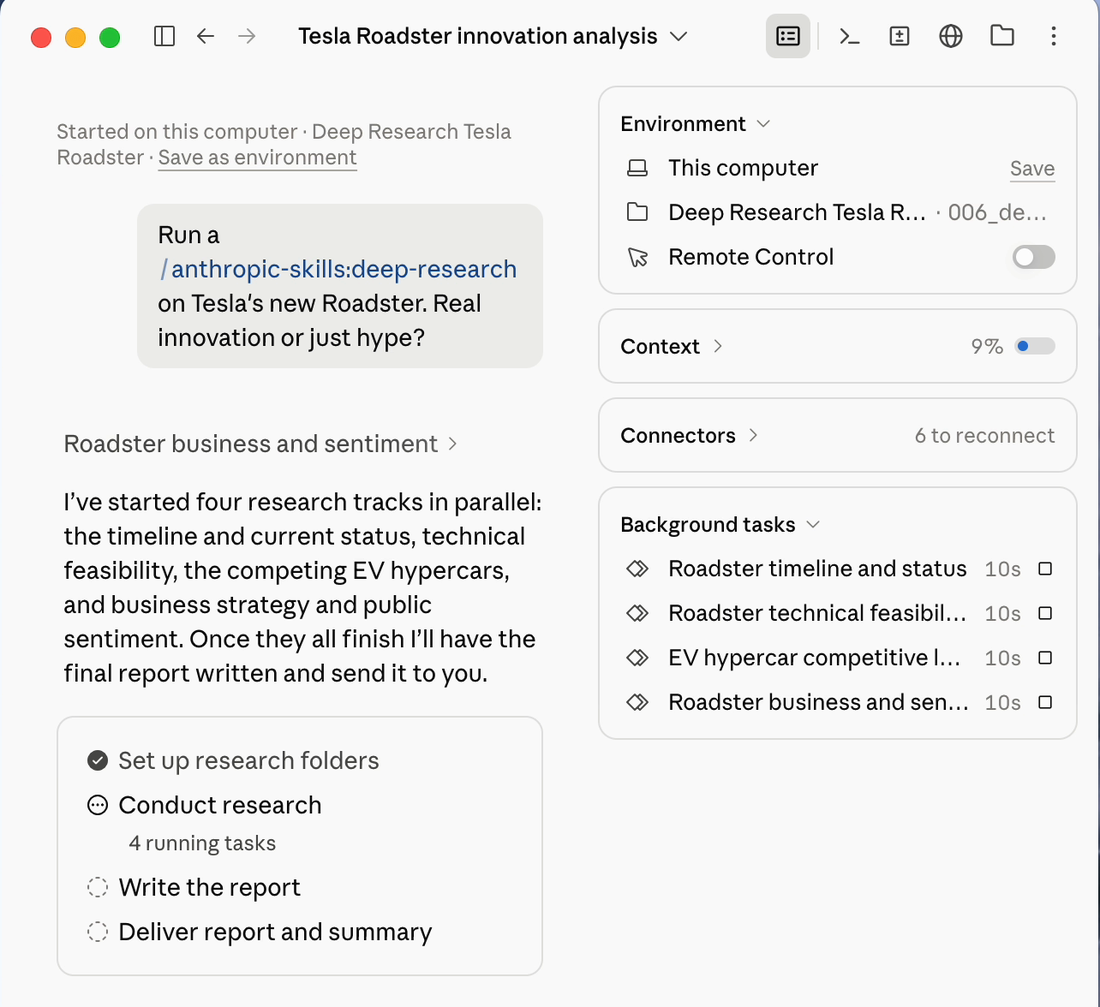
/deep-research Tesla's new Roadster. Real innovation or just hype?
If something in your question is unclear, Claude may ask you one quick question first. The skill only does this when the answer changes the research:
In the skill’s words
“In order to avoid creating unnecessary friction with the user, follow ups should only be asked when they would meaningfully impact how research is conducted.”
Then wait. In Michelle’s demo, the report was ready about nine minutes after she sent the prompt.
Official reference: Get started with Claude Cowork
What happens behind the scenes
Claude becomes the coordinator
In the skill’s words
“You are acting as the coordinator. Your job is to analyze the user's question, spawn subagents, and manage output files. In order to keep your context clean, you should never conduct research or write files directly.”
It breaks your question into pieces
The pieces should not overlap, and together they should cover the whole question: the skill asks for subtopics that are “mutually exclusive and collectively exhaustive”. How many depends on the question:
| Team size | When the skill picks it |
|---|---|
| 1 researcher | A single factual question, like “Who won the 2024 Super Bowl?” |
| 3 researchers | A focused topic with a few natural angles. This is the default: “When in doubt, 3 researchers is a reasonable default.” |
| 4 researchers | Distinct facets or criteria, like comparing CRM platforms on pricing, features, integrations and reviews. |
| 5 researchers | Several independent entities, regions or domains, like AI regulation in the US, EU, China and UK, plus industry self-regulation. |
| 6 or more | A large set that needs systematic coverage, like EV adoption rates by US state. |
For the Roadster, Claude chose four: the timeline and current status, the technical feasibility, the competing EV hypercars, and the business strategy and public sentiment.
Each piece goes to its own researcher
Each researcher is a subagent: a separate Claude that starts fresh. In Claude Code’s documentation: “Each subagent runs in its own context window with a custom system prompt, specific tool access, and independent permissions.” They all start at once:
In the skill’s words
“In order to ensure research is conducted as quickly as possible, it's essential that all subagents are spawned in parallel”
Every researcher follows the same rules for its notes:
- “Prefer primary sources.”
- “Roughly 10 tool calls is typical; avoid exceeding 15 in order to provide timely responses and prevent timeouts”
- “every fact or claim listed in your report must have an inline [Source](URL). If you cannot find a source move it to the Gaps section.”
- “Never fabricate information.”
If the notes leave a critical gap, the coordinator can send researchers out once more, and only once: “This step can only be followed once”.
One writer turns the notes into the report
In the skill’s words
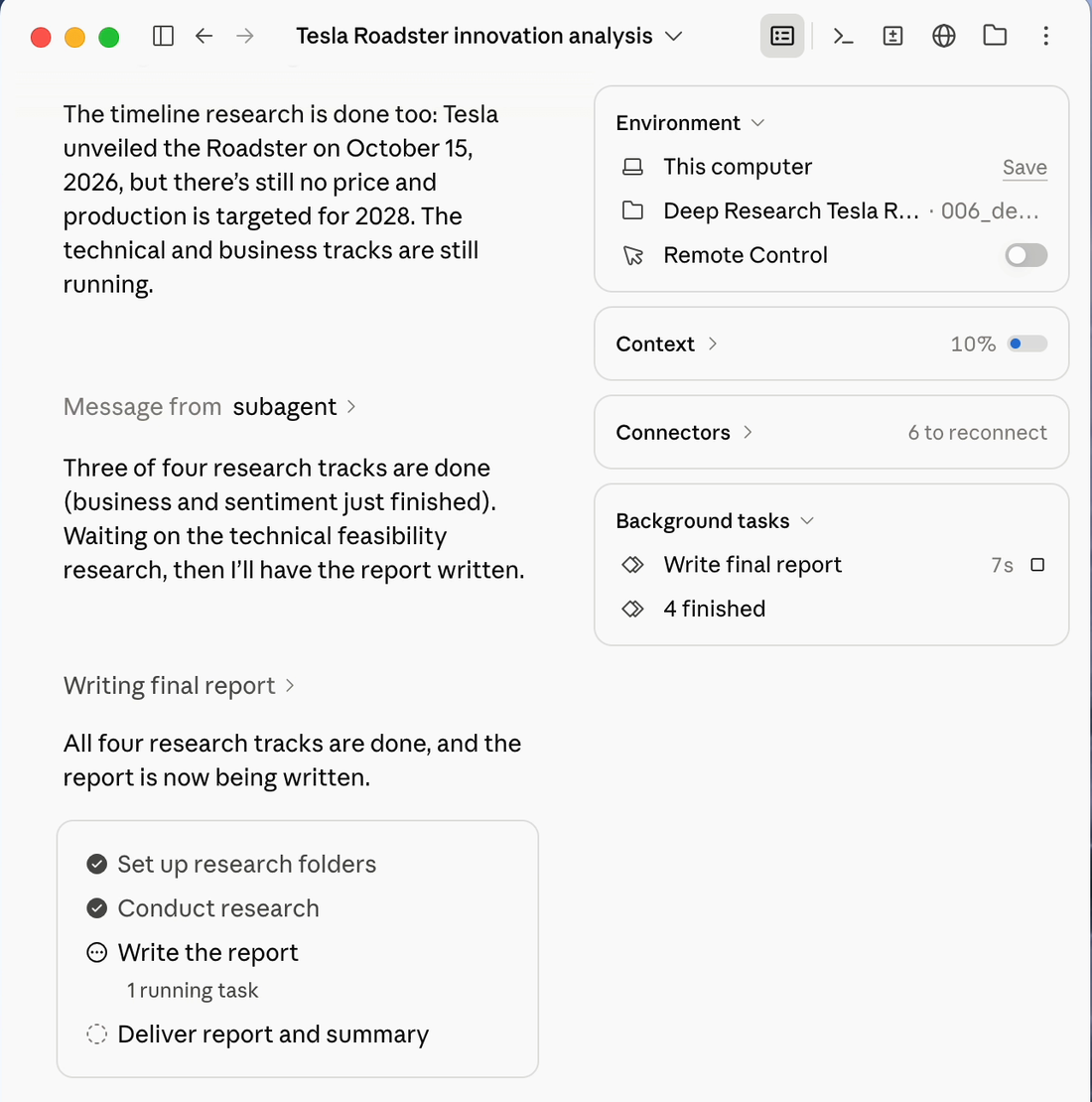
“After research is done, spawn a single report writer subagent.”
The writer reads every researcher’s notes and does no new research. Its instructions tell it to leave out unsupported major claims:
In the skill’s words
“If a research note contains a specific major finding, quantitative claim, or reference to published media without an inline source URL, do not include it in the final report. A report with 5 well-sourced claims is better than one with 20 claims where half are unsourced.”
And it has to reach a verdict, not just list facts: “Take positions based on research - come to conclusions about what is true, don't just give overviews.”
Official reference: Subagents in Claude Code
What you get
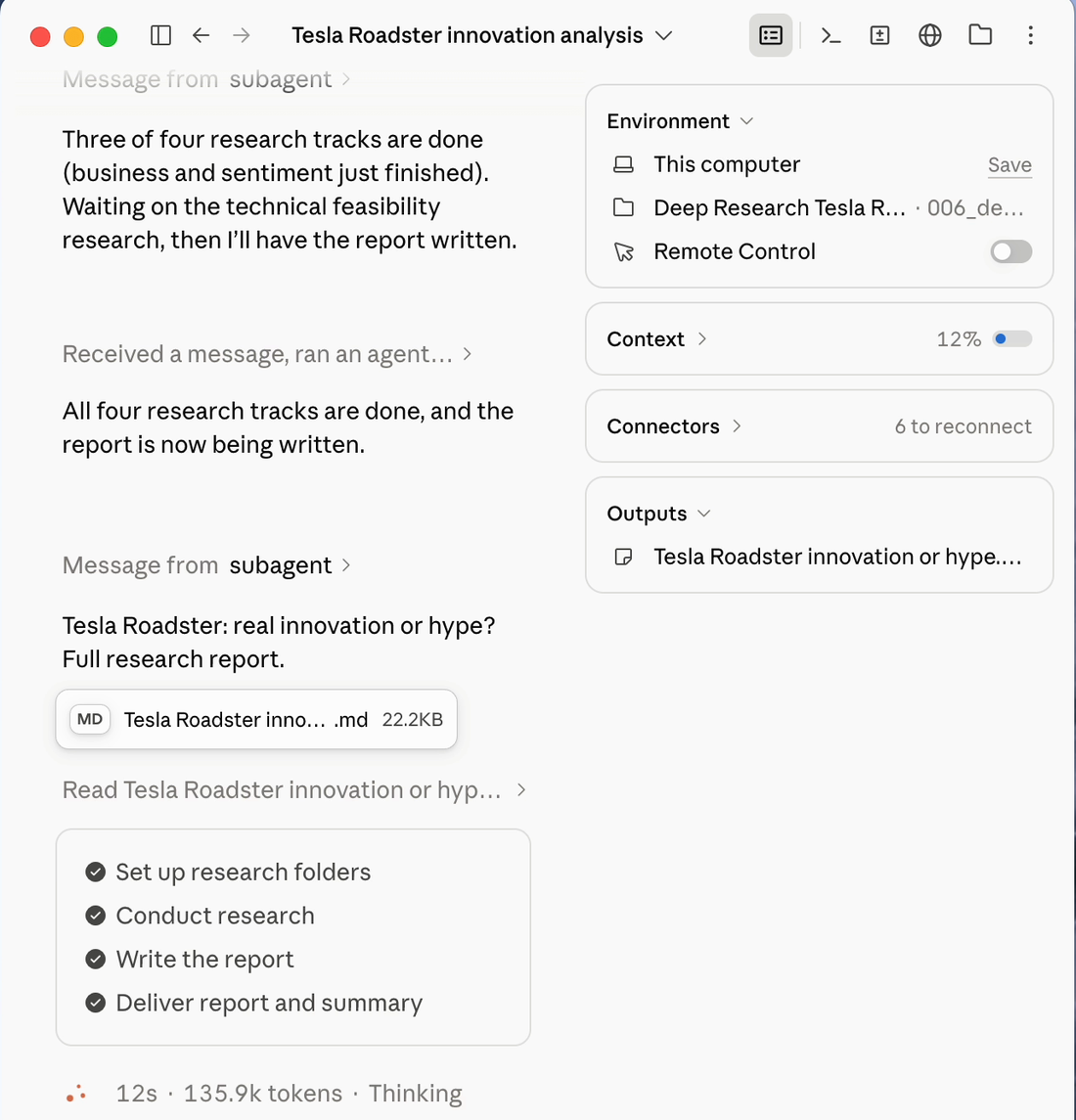
A report saved as a file, plus the notes behind it. For the Roadster: a report of about 2,700 words, built from four sets of notes.
| Part | What it looks like |
|---|---|
| The title | About six words with an active verb. Michelle’s: “Tesla’s flying Roadster flips physics, not production”. |
| The first paragraph | The answer first. In the skill’s words: “The reader should be able to stop here and walk away informed”. |
| 3 to 5 sections | Headers that “Act as signposts”, so skimming the headers alone tells the story. |
| Sources | Links inline after the key claims, so you can check them. |
| The conclusion | One or two paragraphs of new takeaways, with no repeat of what came before. |
Two folders appear in your working folder: reports, with the report itself, and research_notes, with one notes file per researcher. Open the notes when you want the full detail behind a claim.
Want it as a Word document?
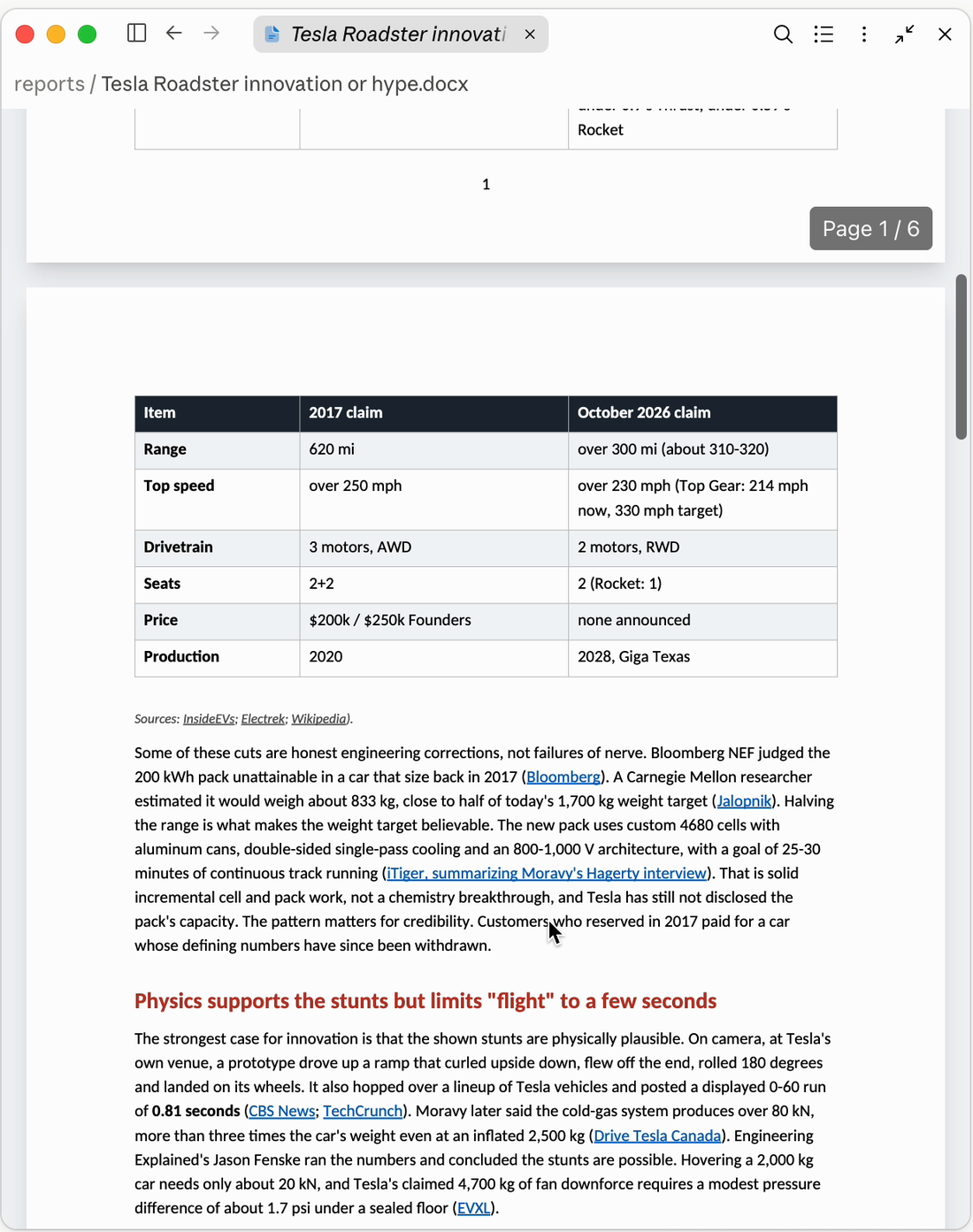
Ask in the same chat. Michelle typed “make it in word format” and got a six-page .docx with the tables and source links kept.
Check the findings
Open the sources behind the main claims and check that they support the report’s wording. Pay attention to dates, conflicting evidence and gaps in the notes before using the conclusions.
Get a better report
Define your topic and scope
The coordinator passes your limits on to every researcher:
In the skill’s words
“Be sure to propagate constraints of the original question to the research subagent (e.g., temporal, geographical).”
So put them in: the time period, the country, your budget, what you want compared.
/deep-research Which CRM fits a 10-person consulting firm in France in 2026? Compare price, features, integrations and user reviews, and give me a recommendation.
Try Sonnet researchers with an Opus writer
In Claude Code, a subagent uses the main conversation’s model when no other model has been set for it. A setting or a model chosen for that invocation can override this. Claude Code lets Claude choose a model for each subagent: “When Claude invokes a subagent, it can also pass a model parameter for that specific invocation.” So you can ask for it in your prompt:
/deep-research [your question]

Use Sonnet for the research subagents. Keep the report writer on Opus.
Why try this split: give Sonnet clearly scoped research tasks and use Opus to weigh the findings and write the report. Compare the result and usage on your own topic; complex research can require substantial reasoning too. See the Opus or Sonnet guide.
The skill doesn’t set a model itself, so this line is a request. This model split was not tested in the demo. In Claude Code, open /tasks to check which model each subagent is using. This control is documented for Claude Code; the same behavior has not been verified in Cowork.
Come back to a topic later
Run your follow-up in the same folder. The skill looks for earlier reports there and gives the last one to the writer “as background to build on”, under a new title so nothing gets overwritten.
Plan for your usage
A research team uses more than one chat. In Claude Code’s documentation, each subagent “sends its own requests, which count toward the same usage limits as your main conversation.” Save it for questions that need many sources. For one quick fact, just ask.
Official reference: Subagents in Claude Code
Two tools with a similar name
The /deep-research workflow in Claude Code
Claude Code also has a built-in workflow called /deep-research. Its menu entry starts “Fan out web searches…”. In its documentation, it “Fans out web searches on a question across several angles, fetches and cross-checks the sources it finds, votes on each claim, and returns a cited report with claims that didn't survive cross-checking filtered out.” It works differently from the skill in this guide, which hands each piece to its own researcher and then to one writer.
Official reference: Workflows in Claude Code
Research in the Claude chat
In a regular Claude chat there is also a Research option, built into the chat itself. It has its own help page.
Official reference: Use Research on Claude
Go straight to the sources
Skill instructions and official documentation checked 24 October 2026. The skill itself is in Claude under Customize → Skills → deep-research → Contents.
Skills in Claude CodeOfficial documentation · How skills load and how to run one with /.Subagents in Claude CodeOfficial documentation · Separate context windows, models and usage.Use skills in ClaudeOfficial documentation · Find, turn on and manage skills.Workflows in Claude CodeOfficial documentation · The other /deep-research.